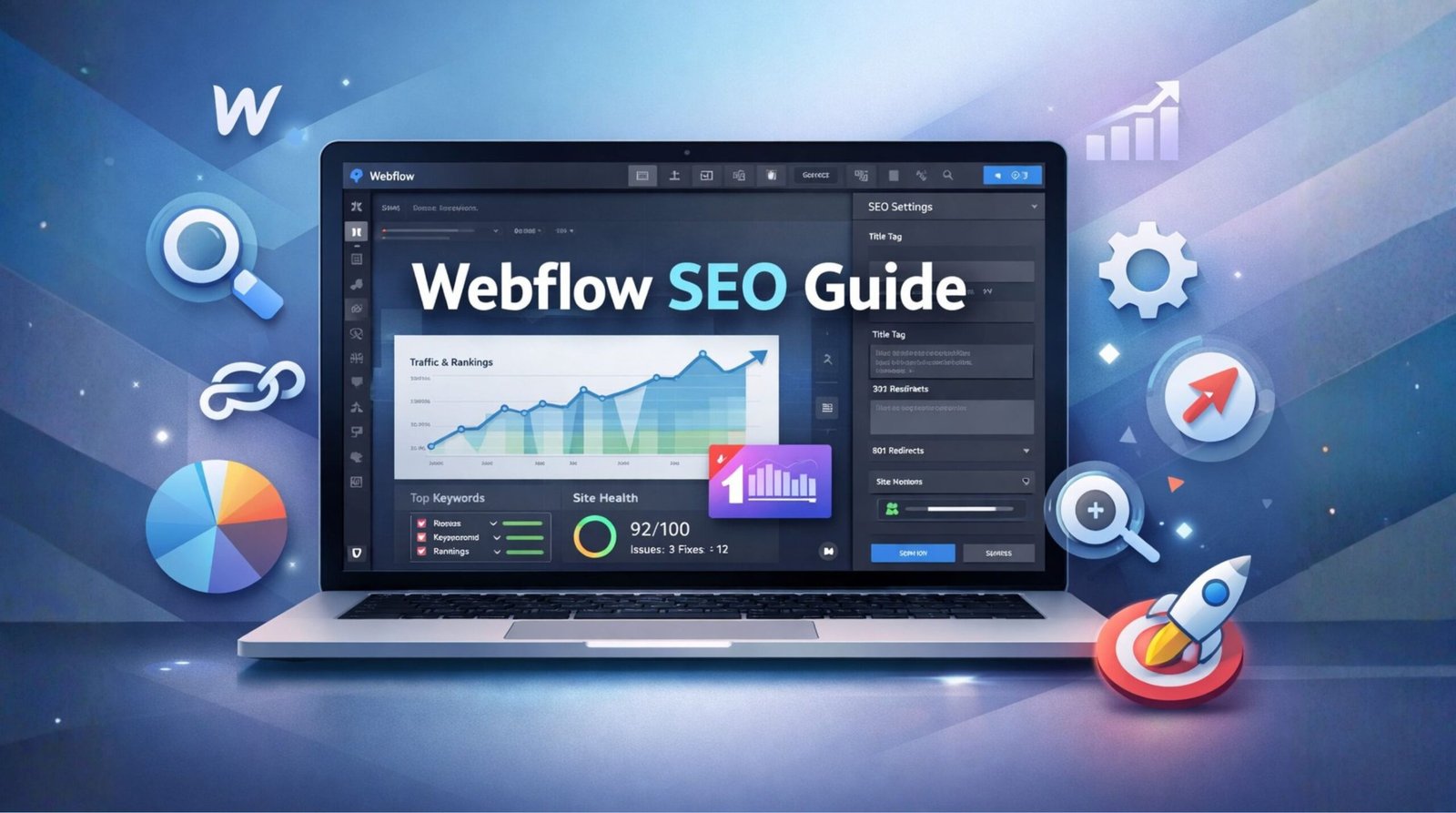
Learn exactly how to optimize your Webflow website for search engines. Read our complete checklist, on-page tips, and technical advice to rank higher today.
What is Webflow
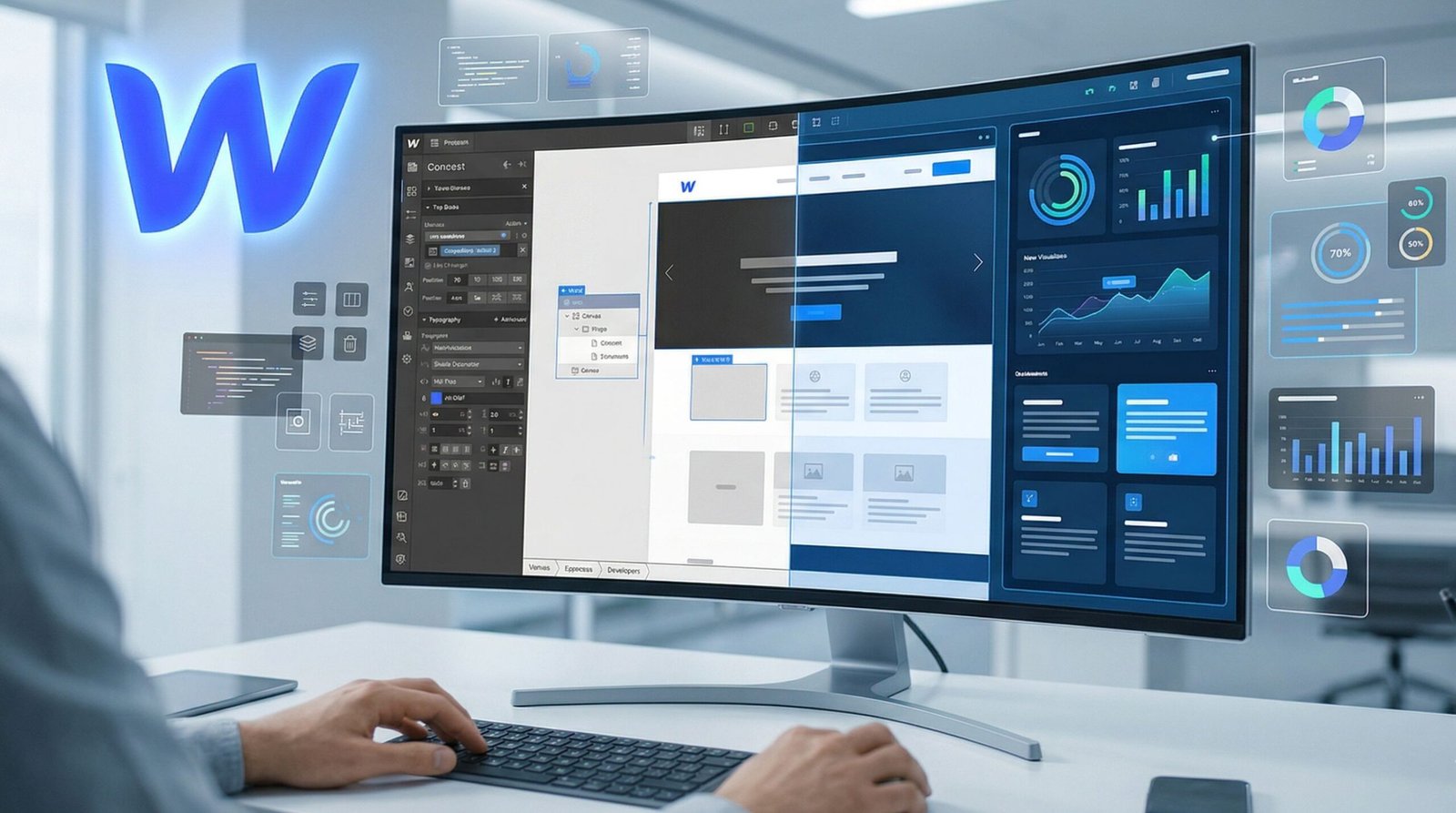
Webflow is a visual website builder. It helps designers create custom websites without writing code manually. You build visually, and the platform writes clean HTML, CSS, and JavaScript in the background.
Vlad Magdalin and his team started the company in 2013. They wanted to bridge the gap between design and development. Today, thousands of businesses rely on it for their online presence.
The platform features a built-in Content Management System (CMS). This CMS makes it easy to add blog posts, team members, or products. You just fill out a form, and the website updates instantly.
The benefits for businesses are huge. You get fast hosting, high security, and full control over your layout. Best of all, you do not need to install updates or manage server hardware.
Webflow SEO Optimization
Webflow SEO optimization is highly effective. The platform gives you native control over the most important ranking factors. You do not need messy plugins to get the job done.
You can easily adjust meta tags, URLs, and headings right from the designer panel. Webflow also automatically generates clean code. Clean code helps Google bots read your site faster.
If you want a detailed review of your current site, consider looking at AI LLM SEO audits. It helps identify exactly what your Webflow site needs.
When compared to older platforms, Webflow makes on-page tasks simple. For instance, managing SEO on traditional systems can be complex. You can read our Magento SEO guide or our Drupal SEO guide to see the differences in complexity.
You also have full control over image alt text. You can add alt text directly in the asset manager. This simple Webflow SEO setting ensures accessibility and better image search rankings.
If you are migrating from another platform, the process is straightforward. We often help clients move away from older CMS tools. You can learn about different platform challenges in our Joomla SEO article.
For personalized help with your optimization strategy, you can always visit aiseoaudit.net. Our team provides custom Webflow SEO tips tailored to your specific niche.
Webflow On-Page SEO
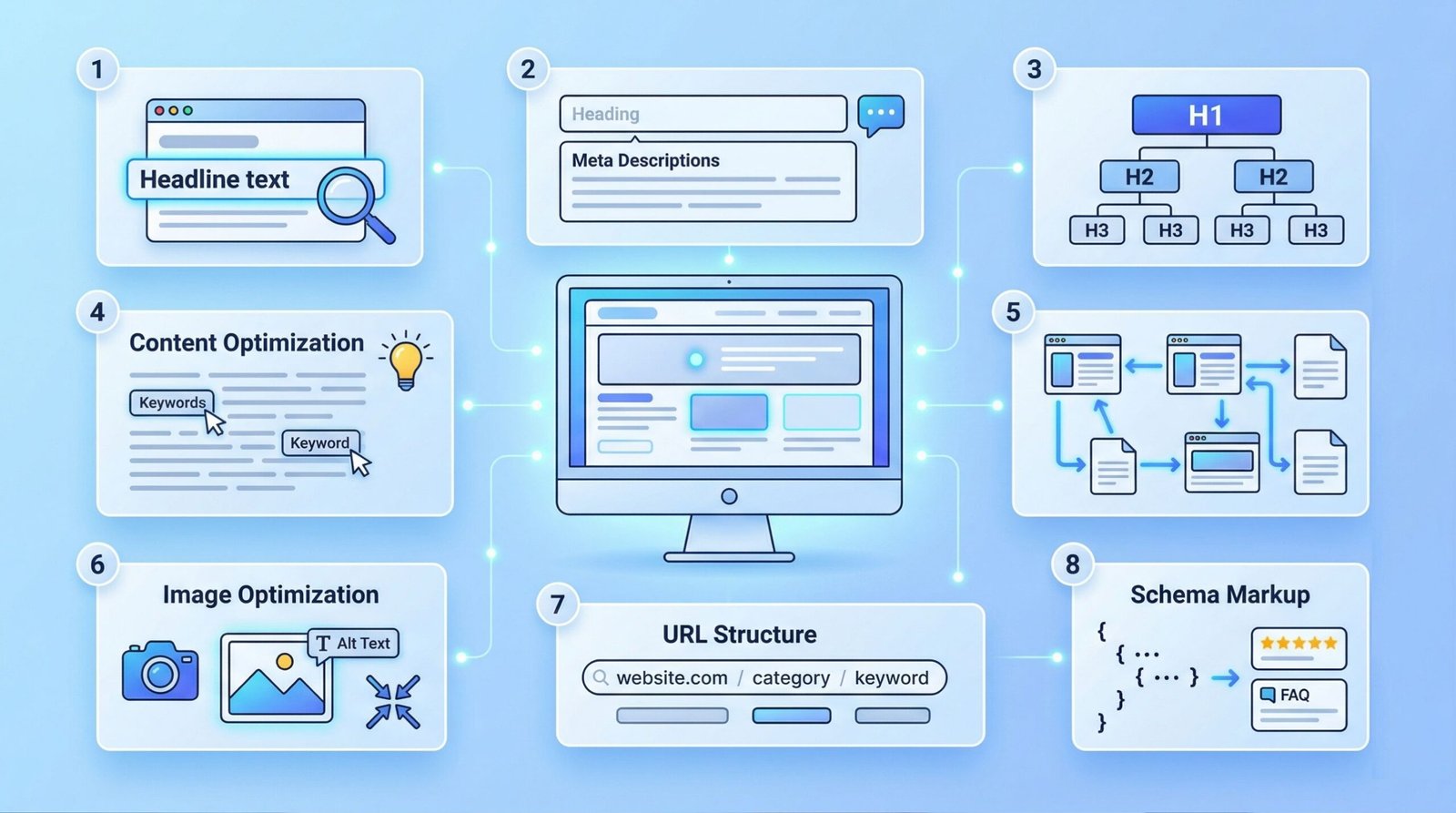
Webflow on-page SEO involves optimizing the content on your website. You must make sure search engines understand what your pages are about. Here is a complete A to Z guide.
1 Title Tags
Explanation: The title tag is the main headline that appears in search results. It tells Google and users exactly what the page covers. In Webflow, you set this in the Page Settings panel. Keep it under 60 characters.
2 Meta Descriptions
Explanation: The meta description is the short summary below the title tag in search results. It acts like an ad copy to get people to click. Webflow lets you tie CMS fields to meta descriptions automatically. Keep it under 160 characters.
3 Headings (H1, H2, H3)
Explanation: Headings break up your text. They create a logical structure. Your H1 is the main topic. Use H2s for main sections and H3s for sub-sections. Webflow makes it easy to assign heading tags in the typography settings.
4 Content Optimization
Explanation: Content optimization means writing helpful, clear text. You should answer the user’s question directly. Place your main keywords naturally in the first paragraph.
5 Internal Linking
Explanation: Internal links connect your pages together. They help users navigate your site. They also help Google find new pages. Use descriptive anchor text when adding links in the Webflow rich text element. Check out Moz’s guide on internal links for more detail.
6 Image Optimization
Explanation: Search engines cannot see images. They read the “Alt text” to understand them. You should compress images before uploading them to Webflow. Then, add descriptive alt text in the asset panel.
7 URL Structure
Explanation: URLs should be short, clean, and readable. They should contain your main keyword. Webflow lets you customize the slug for every page and CMS item.
8 Schema Markup
Explanation: Schema markup is code that helps search engines understand your content better. It can give you rich snippets, like star ratings in search results. You can add JSON-LD schema code in the custom code section of your Webflow page settings.
Webflow Technical SEO
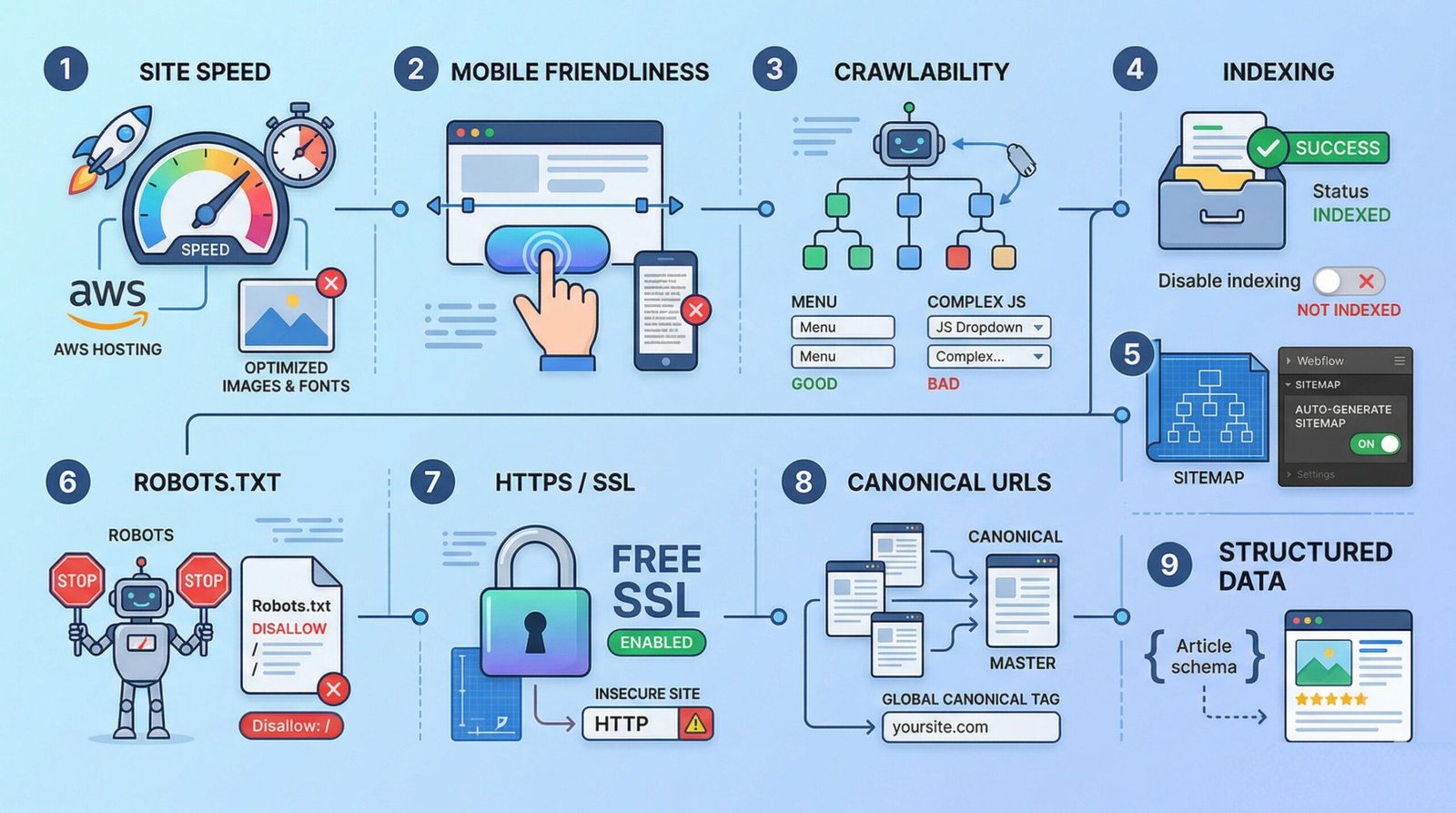
Webflow technical SEO ensures your site functions correctly behind the scenes. It makes it easy for search engines to crawl and index your pages. Here is a complete A to Z guide.
1 Site Speed
Explanation: Fast websites rank better and keep visitors happy. Webflow is naturally fast because it uses Amazon Web Services (AWS) hosting. However, you must optimize your fonts and images to keep it that way.
2 Mobile Friendliness
Explanation: Google looks at the mobile version of your site first. This is called mobile-first indexing. Webflow allows you to adjust the design specifically for tablets and mobile phones using breakpoints.
3 Crawlability
Explanation: Crawlability means bots can easily navigate your site links. You need a clear navigation menu and good internal linking. Webflow creates clean code that bots love to read.
4 Indexing
Explanation: Indexing means Google saves your page in its database. If a page is not indexed, it cannot rank. You must ensure you haven’t accidentally hidden pages from search engines in Webflow settings.
5 XML Sitemap
Explanation: An XML sitemap is a list of all pages on your site. It acts like a map for Google bots. Webflow can auto-generate this file for you. You just need to flip a switch in the SEO settings tab.
6 Robots.txt
Explanation: The robots.txt file tells bots which pages they should not crawl. For example, you might want to hide a private login page. Webflow allows you to edit this file in the SEO settings area.
7 HTTPS / SSL
Explanation: HTTPS secures the connection between your website and the user. Google prefers secure sites. Webflow includes a free SSL certificate with all hosting plans. You just need to enable it.
8 Canonical URLs
Explanation: Canonical URLs solve duplicate content problems. They tell Google which version of a page is the “master” copy. Webflow provides a global canonical tag setting. You should paste your main domain name there.
9 Structured Data
Explanation: This is a highly technical part of SEO. It involves adding JSON-LD code to your page headers. It helps Google classify your content as an article, product, or local business.
Webflow SEO Checklist
Use this highly detailed checklist before launching your site. It covers all necessary Webflow SEO settings, content tasks, and technical checks.
| Task | Description | Status | Example | Good/Bad Practice |
|---|---|---|---|---|
| 1. Global Canonical Tag | Add your custom domain in the SEO settings tab. | ☐ To Do | https://www.yoursite.com | Good: Prevents duplicate indexing |
| 2. Enable Auto-Sitemap | Turn on the auto-generate XML sitemap toggle. | ☐ To Do | yoursite.com/sitemap.xml | Good: Keeps Google updated |
| 3. Disable Webflow Indexing | Stop Google from finding your .webflow.io staging link. | ☐ To Do | Toggle “Disable Indexing” | Bad: Splits link equity |
| 4. Optimize Title Tags | Write unique titles for every static and CMS page. | ☐ To Do | “Webflow SEO | Agency” | Good: Keep under 60 chars |
| 5. Write Meta Descriptions | Create engaging summaries for search results. | ☐ To Do | “Learn the best practices…” | Good: Boosts click-through rates |
| 6. Set Up 301 Redirects | Forward old URLs to new URLs to save link juice. | ☐ To Do | /old-page -> /new | Good: Essential for migrations |
| 7. Compress All Images | Convert large files to WebP format. | ☐ To Do | hero.webp (150kb) | Bad: Uploading 5MB PNGs |
| 8. Add Image Alt Text | Describe images for screen readers and bots. | ☐ To Do | “Team on laptops” | Good: Boosts image SEO |
| 9. Check Heading Structure | Ensure only one H1 per page, followed by H2s. | ☐ To Do | H1 -> H2 -> H3 | Bad: Skipping levels |
| 10. Connect Analytics | Add GA4 tracking ID in integrations. | ☐ To Do | G-XXXXXXXX | Good: Measure user behavior |
| 11. Submit to GSC | Verify property in Google Search Console. | ☐ To Do | Add TXT record | Good: Monitor index health |
| 12. Build Internal Links | Link pages together contextually. | ☐ To Do | Link “SEO tools” to guide. | Bad: Having orphaned pages |
| 13. Fix Broken Links | Audit site to fix 404 errors. | ☐ To Do | Update dead URLs | Good: Retains link juice |
| 14. Minify CSS & JS | Check minify options in publishing tab. | ☐ To Do | Toggle Minify CSS/JS | Good: Improves site speed |
| 15. Add Schema Markup | Inject JSON-LD into page heads. | ☐ To Do | FAQ/Article Schema | Good: Achieves rich snippets |
Webflow vs WordPress
People often ask about Webflow vs WordPress for search visibility. WordPress has been around much longer. It relies heavily on plugins like Yoast or RankMath to handle optimization tasks.
Webflow takes a different approach. The core features are built directly into the platform. You do not need third-party plugins. This reduces the risk of code bloat. It also removes the danger of plugins breaking during updates.
| Feature | Webflow | WordPress |
|---|---|---|
| SEO Tools | Built-in natively. | Requires plugins (Yoast, RankMath). |
| Hosting Speed | Very fast, global CDN included. | Depends entirely on your hosting provider. |
| Code Cleanliness | Clean semantic HTML. | Can become bloated with many plugins. |
Framer vs Webflow
Framer vs Webflow is a common debate among modern web designers. Framer feels more like a traditional design tool, similar to Figma. Webflow feels more like visual coding.
For SEO, Webflow is currently more mature. It handles complex CMS structures better. It also offers deeper control over technical elements like schema and advanced routing.
Framer is incredibly fast and great for simple marketing sites. However, if you need a massive blog with thousands of articles, Webflow’s database structure provides better scale and optimization options.
| Feature | Webflow | Framer |
|---|---|---|
| SEO Control | Advanced, full control. | Basic, improving rapidly. |
| CMS Scalability | Excellent for large sites. | Good for small to medium sites. |
| Speed Performance | Excellent. | Excellent (often scores 100). |
Webflow vs Squarespace
When comparing Webflow vs Squarespace, you must look at flexibility. Squarespace relies on rigid templates. It is fantastic for beginners who want a pretty site quickly.
However, rigid templates restrict your SEO capabilities. Webflow allows you to design every single pixel. You have complete control over heading structures and HTML tags.
If you are serious about organic traffic, Webflow provides much better long-term ranking potential. You can optimize site speed much further than you can on Squarespace.
| Feature | Webflow | Squarespace |
|---|---|---|
| Design Flexibility | Unlimited custom design. | Template restricted. |
| HTML Control | Full control over all tags. | Limited control. |
| Ranking Potential | Very High. | Moderate. |
Webflow vs Wix
Wix has improved its search capabilities a lot in recent years. It now has a dedicated SEO dashboard. But when looking at Webflow vs Wix, professional developers still prefer Webflow.
Wix can sometimes generate messy code in the background. This happens because of its drag-and-drop nature. Webflow forces a box-model design approach, which results in cleaner code.
Clean code matters. Google bots crawl clean code faster. Therefore, Webflow generally offers better performance metrics for technical audits.
| Feature | Webflow | Wix |
|---|---|---|
| Code Quality | Very clean semantic code. | Can be bloated. |
| SEO Settings | Full, granular access. | Good, but less granular. |
| Speed Performance | Consistently high. | Variable, media dependent. |
Webflow vs Other CMS
To give you a complete picture, we created a master comparison chart. This shows how Webflow stacks up against the major CMS platforms on the market today.
| Platform | SEO Flexibility | Speed | Customizability | Security | Ease of Use |
|---|---|---|---|---|---|
| 1. Webflow | High | Very High | Very High | High | Moderate |
| 2. WordPress | High (with plugins) | Variable | High | Low | Moderate |
| 3. Squarespace | Low | Moderate | Low | High | Very High |
| 4. Wix | Moderate | Moderate | Moderate | High | Very High |
| 5. Framer | Moderate | Very High | High | High | High |
| 6. Shopify | Moderate | High | Moderate | High | High |
| 7. Joomla | Moderate | Moderate | High | Moderate | Low |
| 8. Drupal | High | High | Very High | High | Very Low |
| 9. Magento | High | Variable | Very High | High | Very Low |
| 10. Ghost | High | Very High | Moderate | High | High |
FAQs about Webflow SEO
Q. Is Webflow good for SEO?
Yes, Webflow is excellent for SEO. In fact, many digital marketing agencies prefer it over older platforms. The reason is the absolute control it gives you over the website’s code and structure. When you build on Webflow, you are not forced into bloated templates that slow down load times. Instead, you get clean, semantic HTML that search engines can read quickly.
Q. Is Webflow SEO friendly?
Absolutely. Webflow is built to be extremely SEO friendly from the ground up. It handles many technical tasks automatically that you would normally have to code by hand. For example, it automatically generates a perfectly formatted XML sitemap. It allows you to easily edit your robots.txt file. It minifies CSS and JavaScript with just the click of a checkbox.
Q. How to do SEO on Webflow?
Start in the Project Settings. Navigate to the SEO tab and turn on auto-sitemap generation. Then, add your custom domain as the global canonical tag. Next, go to the Hosting tab and ensure SSL (HTTPS) is enabled. Go page by page and add unique, keyword-rich Title Tags and Meta Descriptions using the page settings gear icon. Compress all your images before uploading and fill out the Alt text field.
Q. Does Webflow have plugins like Yoast?
No, Webflow does not use plugins in the way WordPress does. You will not find a “Yoast” or “RankMath” plugin to install. This is actually a major advantage. Instead of relying on a third-party plugin, Webflow builds all the essential SEO tools directly into its core platform. You get fields for meta titles, descriptions, and open graph images natively.
Q. How fast is Webflow hosting for SEO?
Webflow hosting is exceptionally fast, which is a massive benefit for search rankings. The platform utilizes a Tier 1 Content Delivery Network (CDN) powered by Amazon Web Services (AWS) and Fastly. This means your website files are stored on servers all around the globe, drastically reducing the Time to First Byte (TTFB).
Q. Can I add schema markup in Webflow?
Yes, you can easily add schema markup (structured data) to your Webflow site. To add schema, generate the JSON-LD code using a free online schema generator. Then, open the Page Settings, and paste your JSON-LD code into the “Inside <head> tag” area. For CMS pages, Webflow lets you inject dynamic CMS variables directly into the schema code.
Q. How does Webflow handle 301 redirects?
Webflow makes handling 301 redirects incredibly simple. Go to your Project Settings and click on the Publishing tab. Scroll down to the “301 Redirects” section. Type the old URL path and the new URL path, then click “Add”. Webflow also supports wildcard redirects using the % symbol, which is perfect for bulk migrations.
Q. Is Webflow better than WordPress for blogging?
Webflow offers a much cleaner, more modern experience for blogging. WordPress has a massive ecosystem of plugins, which often leads to a messy backend. Webflow’s CMS is completely custom, allowing you to define exactly what fields a blog post should have, forcing a clean, consistent design across every article without code bloat.
Q. Do I need coding skills for Webflow SEO?
No, you do not need advanced coding skills to perform SEO on Webflow. The platform is visual. You can optimize meta tags, configure URLs, set up redirects, and manage alt text entirely through the interface. Having a basic understanding of HTML tags (like H1 vs H2) is helpful, but no actual coding is required.
Q. How long does it take to rank a Webflow site?
Generally, it takes between 3 to 6 months to start seeing significant organic traffic movement for a brand new domain, regardless of the platform. Webflow helps you rank faster by ensuring technical barriers like slow speed or messy code do not hold you back, but the ultimate timeline depends on your content quality and backlinks.
Need Expert Help?
Stop guessing what Google wants. Let our professional agency handle your Webflow SEO strategy. We offer comprehensive audits, technical fixes, and content planning to get you to page one.