Building a store on BigCommerce provides a strong foundation for your business, but standing out in search results requires a deliberate strategy. Relying on great products alone will not bring buyers to your pages. You need a clear, actionable approach to search engine optimization to capture high-intent traffic. This guide breaks down exactly how to optimize every aspect of your BigCommerce website. You will learn the exact steps to refine your product descriptions, fix hidden technical issues, and apply the best tools to climb the search rankings and increase your sales.
What is BigCommerce?
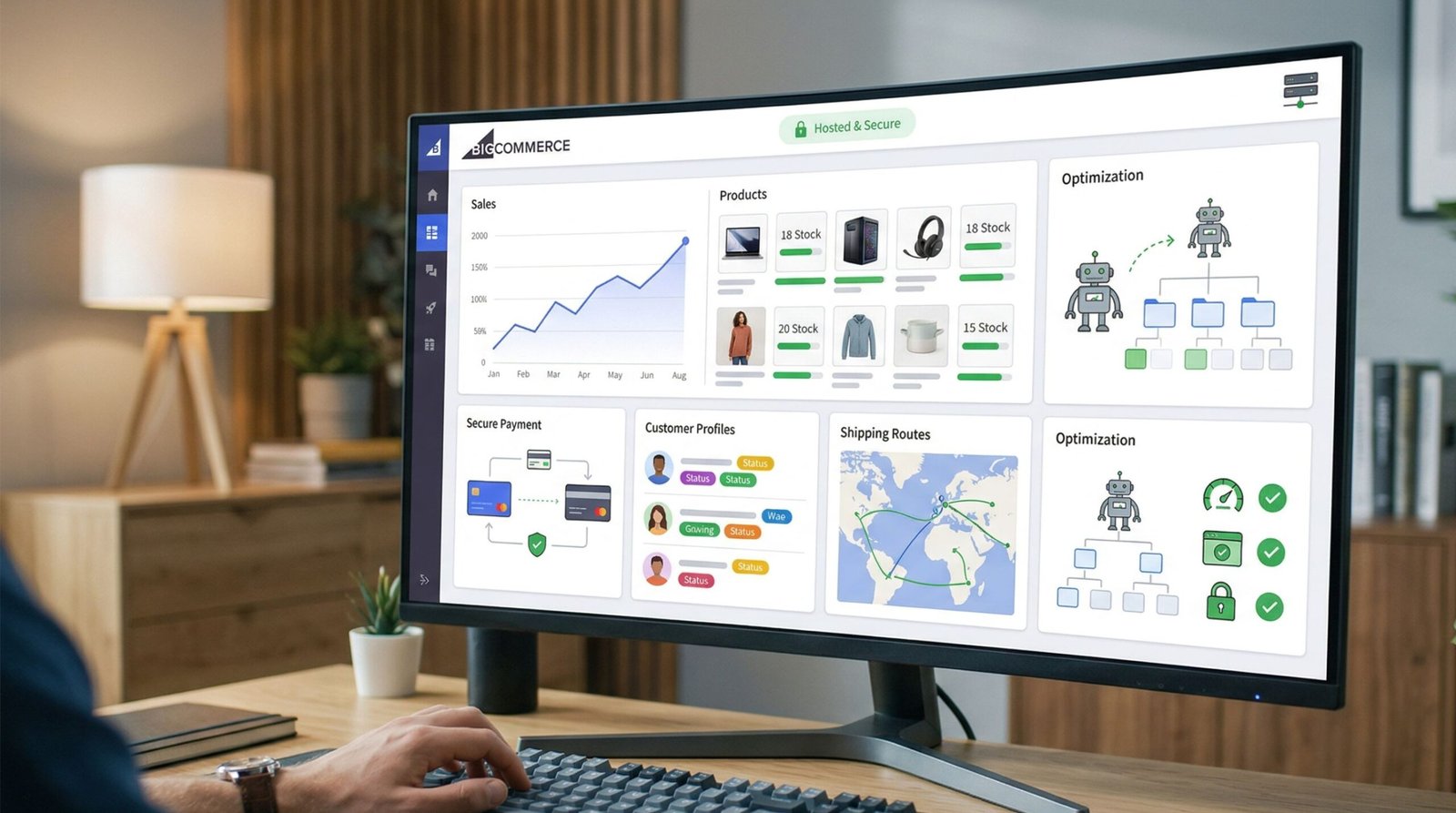
BigCommerce is a highly popular online store building platform. It allows business owners to create an online shop, list products, process payments, and manage shipping. People choose this platform because it handles heavy traffic and large product catalogs with extreme ease. When you want to sell products online, you need a system that functions well without requiring constant developer help. BigCommerce provides this system right out of the box.
Many business owners prefer this platform over others due to its built in features. You do not need to install dozens of plugins just to get basic store functionality. It includes inventory management, customer grouping, and secure checkout processes naturally. Because of these native features, the software runs quickly and securely. Site speed and security play a major role in how search engines view your website. If you want to dive deeper into general optimization principles, visiting the main homepage provides a broad view of online strategy.
However, simply building a store on this platform does not guarantee sales. You must attract visitors to your product pages. This requires search engine optimization. Understanding how this specific software interacts with search engines is the foundation of digital success. You must learn how to configure its settings, structure its pages, and write its content to please both human shoppers and search engine robots. Without proper visibility, even the most beautiful online store will fail to generate revenue.
The system is built using a hosted infrastructure. This means the company handles the servers, the security updates, and the background maintenance. You focus solely on selling your products and optimizing your content. This structure is excellent for business owners who lack deep technical knowledge but still want a highly capable online presence. It removes the burden of server management while leaving you in complete control of your marketing strategy.
BigCommerce SEO Optimization
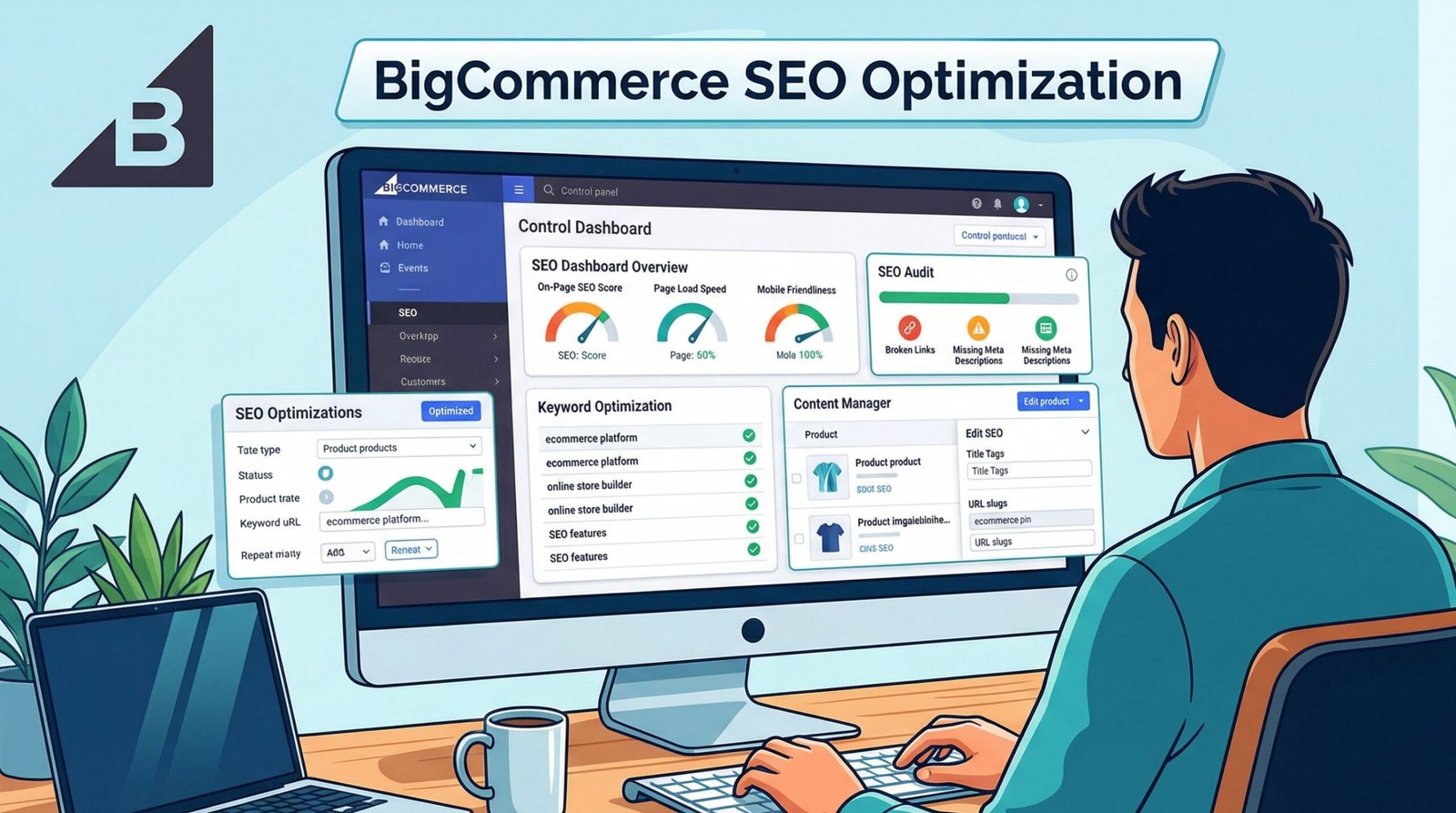
BigCommerce SEO optimization is the practice of adjusting your online store to rank higher in search engine results pages. When a potential customer searches for a product you sell, your goal is to appear at the very top of those results. Bigcommerce search engine optimization involves tweaking both the visible content on your pages and the hidden code behind your website.
The platform provides many native fields for optimization. You can easily edit page titles, modify URL structures, and add descriptive text to images. Taking advantage of these fields is absolutely critical. Search engines like Google need clear signals to understand what your store sells. By deliberately filling out these fields with relevant keywords, you send strong signals to search algorithms.
Optimization on this specific platform differs slightly from regular websites. E-commerce sites have unique challenges. You have to deal with product variations, changing inventory, and duplicate product descriptions. Handling these issues correctly prevents search engines from penalizing your site. Bigcommerce seo optimization requires a strict process to ensure every category and product page serves a distinct purpose.
If you find this process overwhelming, many businesses opt for professional bigcommerce seo services. An expert team can handle the heavy lifting, from keyword research to technical code adjustments. Whether you do it yourself or hire an agency, the fundamental rule remains the same: you must provide clear, relevant, and fast loading pages to your users. Search engines reward websites that prioritize user experience.
BigCommerce On-Page SEO
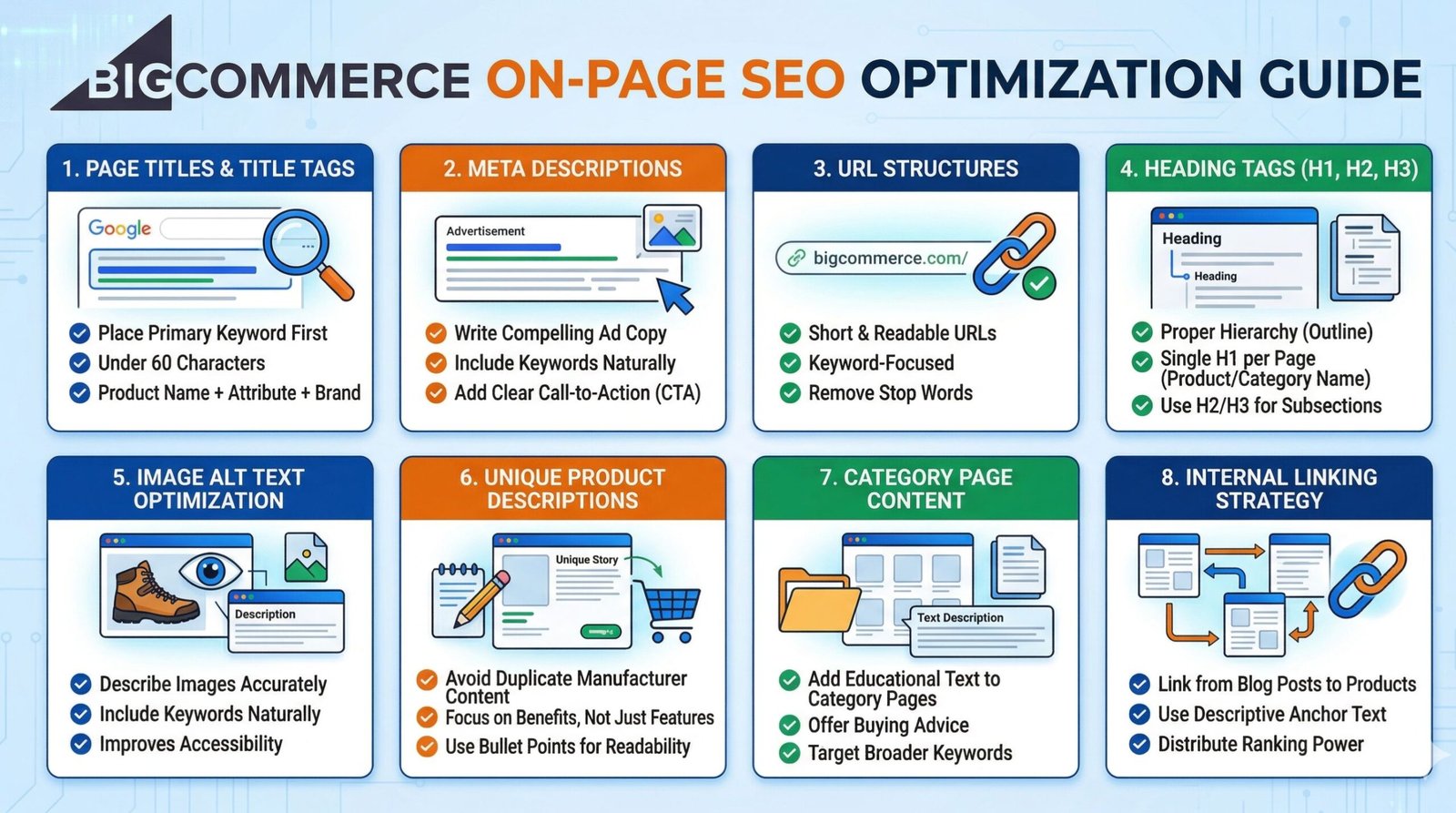
On page SEO refers to all the actions you take directly within your website pages to improve your search rankings. This is where you have total control. You dictate the words on the page, the structure of the headings, and the descriptions of the products. Let us cover every crucial factor in extreme detail.
1. Page Titles and Title Tags
The title tag is the most important on page factor. This text appears as the clickable blue link in search engine results. It tells search engines exactly what the page is about. In BigCommerce, you can set a unique title tag for every single product, category, and blog post. You should place your primary keyword near the beginning of the title. Keep the length under sixty characters so it does not get cut off in search results.
A good title tag is descriptive and encourages the user to click. It should include the product name, an important attribute like color or size, and your brand name. Avoid cramming too many keywords into this space. Search engines view keyword stuffing as a negative signal.
Men’s Waterproof Hiking Boots – Black | TrailBrand
This title is clear, includes the keyword naturally, mentions a key feature, and includes the brand name.Boots, Hiking Boots, Men’s Boots, Buy Boots Online Cheap
This is keyword stuffing. It looks spammy and search engines will likely ignore it or penalize the page.2. Meta Descriptions
The meta description is the short paragraph of text that appears beneath the title tag in search results. While it is not a direct ranking factor, it heavily influences whether a person clicks on your link. A high click through rate tells search engines your page is relevant. You should write meta descriptions that act as tiny advertisements for your page.
Include your target keyword naturally in the description. Search engines will bold the keyword if it matches the user search. Add a call to action at the end of the description to encourage the click. BigCommerce allows you to easily edit this field at the bottom of every product edit screen.
Shop our collection of men’s waterproof hiking boots. Perfect for rough terrain and wet weather. Get free shipping on orders over fifty dollars. Buy yours today.
Persuasive, includes keywords naturally, and ends with a clear call to action.These are our hiking boots. We sell many boots. Look at the boots here.
Boring, repetitive, and provides no real incentive for the user to visit the store.3. URL Structures
The web address of your page is called the URL. A clean and readable URL helps both users and search engines understand the page content. BigCommerce automatically generates URLs based on your product titles. Sometimes, these automatic URLs become too long or include unnecessary numbers. You should edit them to be short and keyword focused.
Remove stop words like “and”, “the”, or “with” from your URLs. Keep the path logical. For example, a category URL should clearly show it is a category. If you change an existing URL, you must set up a redirect. BigCommerce usually handles redirects automatically, but you should always double check.
www.yourstore.com/mens-waterproof-hiking-boots/
Short, descriptive, and easy to read.www.yourstore.com/item-12345-new-mens-boots-with-waterproof-material-and-laces/
Extremely long, contains unnecessary numbers, and includes stop words.4. Heading Tags (H1, H2, H3)
Heading tags structure your content. They act like an outline for your page. The H1 tag is the main heading. You should only have one H1 tag per page, and it should clearly state the main topic or product name. H2 tags are used for main sections, and H3 tags are used for sub sections. Proper heading structure makes it easy for search engine bots to read and index your content.
On BigCommerce product pages, the product title automatically becomes the H1 tag. For category pages, the category name is the H1. When writing long descriptions or blog posts, ensure you use H2 and H3 tags to break up large walls of text.
H1: Men’s Hiking Boots
H2: Waterproof Materials Used
H3: Gore-Tex Technology
H3: Men’s Hiking Boots
H1: Buy Now
H2: Info
5. Image Alt Text Optimization
Search engines cannot see images. They rely on alternative text, known as alt text, to understand what an image depicts. Adding descriptive alt text to every product image is a vital part of bigcommerce seo. This also helps visually impaired users who rely on screen reading software.
When writing alt text, describe the image exactly as it appears. Include a keyword if it fits naturally, but do not force it. BigCommerce allows you to add alt text directly in the image upload section of the product dashboard.
Side view of black TrailBrand waterproof hiking boot
Highly descriptive and accurate.boot hiking shoe footwear buy black
A string of keywords that does not describe the image properly.6. Unique Product Descriptions
Many store owners make the massive mistake of copying descriptions directly from the manufacturer. Search engines hate duplicate content. If fifty other stores are using the exact same text, you will not rank well. You must write unique, highly detailed descriptions for your products.
Focus on the benefits of the product, not just the features. Tell a story. Explain how the product solves a problem for the customer. Break the text up with bullet points to make it easy to read. A longer, more detailed description gives search engines more context to rank your page.
Conquer any trail with our TrailBrand waterproof boots. We designed these specifically for hikers who face unpredictable weather. The advanced rubber sole provides unmatched grip on slippery rocks, while the breathable inner lining keeps your feet dry all day long.
Unique, engaging, and focuses on user benefits.Model 45A. Black boot. Rubber sole. Waterproof. Available in sizes 8 to 12.
Boring, thin content that is likely copied from a catalog.7. Category Page Content
Category pages are often the most powerful pages on an e-commerce site. They group similar products together and target broad keywords. However, most category pages only display a grid of products with no text. You need to add written content to these pages to rank higher.
Add a few paragraphs of text at the top or bottom of your BigCommerce category pages. Describe what types of products are found in this category. Offer buying advice. This text helps search engines understand the broad topic of the page without distracting users from the products.
A 300 word guide at the bottom of the “Hiking Boots” category explaining how to choose between lightweight trail shoes and heavy duty mountain boots.
Provides massive value to the user and thick content for search engines.A blank page with just 10 product images and prices.
Zero context provided for search algorithms.8. Internal Linking Strategy
Internal links are links that point from one page on your site to another page on your site. They help users navigate your store and help search engines find new pages. Furthermore, they distribute ranking power across your website. When you link from a high authority blog post to a product page, you pass value to that product.
In BigCommerce, you should actively link from your blog posts to relevant products. You should also link from category pages to sub categories. Use descriptive anchor text for your links instead of generic phrases like “click here”.
If you are planning a winter trip, you will definitely need a pair of our insulated winter hiking boots to keep warm.
The link text is highly descriptive and natural.To see our winter boots, click here.
Wasted opportunity for keyword context.BigCommerce Technical SEO
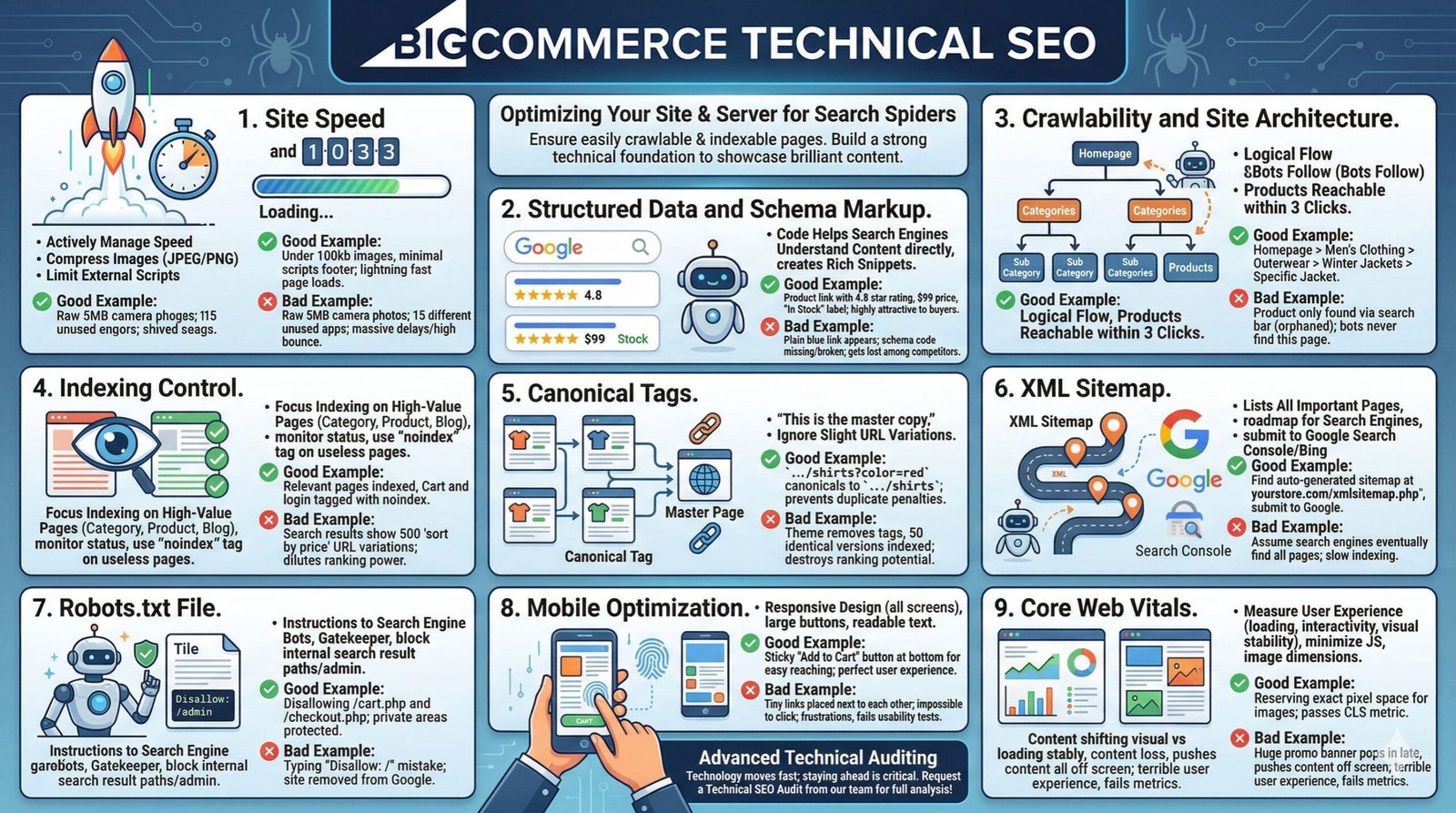
Technical SEO involves optimizing your website and server infrastructure. This ensures search engine spiders can easily crawl and index your website. If your technical foundation is weak, your brilliant content will never be seen. This area requires careful attention. If you want a complete analysis of your current technical state, you can request an SEO audit from our team.
1. Site Speed and Performance
Search engines prioritize fast loading websites. Users abandon slow stores within seconds. BigCommerce is naturally fast, but large image files or heavy third party apps can slow it down. You must actively manage your page speed. Compress all product images before uploading them. Use JPEG format for photos and PNG for graphics.
Limit the number of external scripts you run. If you install an app you no longer use, delete it completely. BigCommerce uses a Content Delivery Network automatically, which helps serve your site quickly globally, but you must ensure your base files are lean.
Product images are compressed to under 100kb each. Only essential tracking scripts are loaded in the footer.
Results in lightning fast page loads.Uploading raw 5MB camera photos directly to the product gallery. Running 15 different unused marketing apps.
Causes massive delays and high bounce rates.2. Structured Data and Schema Markup
Structured data is a specific code format that helps search engines understand your content directly. For e-commerce, this means telling Google exactly what the price is, if the item is in stock, and what the user ratings are. This code creates rich snippets in search results, like showing gold review stars next to your link.
BigCommerce themes generally include basic product schema by default. However, you should test it using Google Search Central tools. Ensure that reviews, price, availability, and brand are correctly marked up in the JSON-LD code format. This visual advantage in search results dramatically increases clicks.
Search results show your product link with a 4.8 star rating, the price of $99, and an “In Stock” label.
Highly attractive to buyers clicking through search results.Only a plain blue link appears because schema code is broken or missing in the theme files.
Gets lost among competitors who use rich snippets.3. Crawlability and Site Architecture
Crawlability refers to how easily search engine bots can navigate your site. If bots cannot find a page, they cannot rank it. Your site architecture must be logical. The rule of thumb is that any product should be reachable within three clicks from the homepage.
Use clear, hierarchical menus. Homepage leads to Category. Category leads to Sub Category. Sub Category leads to Product. Do not orphan pages by hiding them from your main navigation structure. Keep your menus clean and organized.
Home > Men’s Clothing > Outerwear > Winter Jackets > Specific Blue Jacket
Logical flow that bots easily follow.A product page that is only accessible by searching for it specifically in the store search bar, with no menu links leading to it.
Bots will never find this page. It is orphaned.4. Indexing Control
Not every page on your store needs to be in search results. Pages like your cart, checkout, customer account login, and privacy policy do not bring in new search traffic. Letting search engines index thousands of useless pages wastes your “crawl budget”.
You want to ensure only high value pages are indexed. BigCommerce handles much of this automatically, but you should monitor your index status. If you see strange URLs with search parameters being indexed, you have a problem. You can use the “noindex” tag on specific pages you want hidden from search engines.
Category pages, product pages, and blog posts are indexed. Cart and login pages are tagged with noindex.
Focuses search engine attention exactly where it belongs.Search results show 500 different variations of a “sort by price” URL parameter.
Dilutes ranking power and confuses search algorithms.5. Canonical Tags
E-commerce sites naturally create duplicate content. If a user filters a category by color, the URL changes, but the core products remain the same. Search engines might see this as two identical pages competing against each other. The canonical tag solves this.
A canonical tag tells the search engine “This is the master copy of this page. Ignore the slight URL variations.” BigCommerce handles canonical tags incredibly well by default. It automatically points variant URLs back to the main category or product page. You just need to verify this feature remains active if you customize your theme heavily.
The URL yourstore.com/shirts?color=red has a canonical tag pointing to yourstore.com/shirts.
Prevents duplicate content penalties perfectly.A custom theme removes canonical tags, causing Google to index 50 identical versions of the same product page.
Destroys your search ranking potential immediately.6. XML Sitemap
An XML sitemap is a file that lists all the important pages on your website. It acts as a roadmap for search engines. It tells them exactly where to find your products and when they were last updated.
BigCommerce automatically generates and updates your XML sitemap. You do not need to build it manually. However, you must submit this sitemap to Google Search Console and Bing Webmaster Tools. This guarantees search engines know about your entire catalog.
Locating the auto generated sitemap at yourstore.com/xmlsitemap.php and submitting it directly to Google.
Proactive and ensures rapid indexing of new products.Assuming search engines will eventually find all your pages without providing the map.
Leads to slow indexing of new inventory.7. Robots.txt File
The robots.txt file gives instructions to search engine bots about which areas of the site they are allowed to scan. It acts like a gatekeeper. You can block bots from accessing sensitive folders or useless search query pages.
BigCommerce allows you to edit the robots.txt file directly from the store setup menu. You should be extremely careful here. One wrong line of code can block your entire website from Google. Stick to blocking internal search result paths and admin areas.
Disallowing access to /cart.php and /checkout.php in the robots file.
Keeps bots out of private areas.Typing “Disallow: /” by mistake.
Instantly removes your entire website from Google search results.8. Mobile Optimization
More than half of all internet traffic comes from mobile phones. Google uses mobile first indexing, meaning they judge your site based strictly on how it looks on a phone. If your site is hard to use on mobile, your desktop rankings will also drop.
BigCommerce themes are responsive by design. They adjust to screen sizes automatically. However, you must test your specific setup. Ensure buttons are large enough to tap with a thumb. Check that text is readable without zooming. Remove huge pop ups that block the entire phone screen.
A mobile layout with a sticky “Add to Cart” button at the bottom of the screen for easy reaching.
Perfect user experience that keeps visitors engaged.Tiny links placed right next to each other, making it impossible to click the correct one without zooming in.
Frustrates users and fails Google’s mobile usability tests.9. Core Web Vitals
Core Web Vitals are specific speed and stability metrics tracked by Google. They measure exactly how users experience your page load. The three main metrics are loading speed, interactivity delays, and visual layout shifts.
Visual layout shifts happen when an image loads late and pushes the text down while a user is reading. You fix this by specifying image dimensions in your HTML code. Interactivity delays happen when heavy javascript blocks the browser. By keeping your theme code clean and minimizing third party apps, you can achieve excellent Core Web Vitals scores on BigCommerce.
Reserving exact pixel space for images so the text below them does not jump around while the page finishes loading.
Passes the Cumulative Layout Shift (CLS) metric easily.A huge promotional banner pops in three seconds after the page loads, pushing the main content completely off the screen.
Creates a terrible user experience and fails Core Web Vitals tests.Advanced Technical Auditing
If you want to understand how artificial intelligence is changing the way we audit these technical factors, you should read our deep dive on AI LLM SEO Audits. Technology moves fast, and staying ahead of technical requirements is critical for bigcommerce search engine optimization.
BigCommerce SEO Checklist
Managing an optimization campaign requires organization. Missing a single step can hinder your progress. Use this comprehensive checklist to track your efforts across your entire store. Print this out or copy it into your own spreadsheet.
| Task | Description | Priority |
|---|---|---|
| Keyword Research | Identify primary and secondary search terms for all main categories. | High |
| Optimize Title Tags | Write unique, keyword rich titles for every product under 60 characters. | High |
| Write Meta Descriptions | Create compelling descriptions with strong call to actions for every page. | Medium |
| Clean URL Structures | Ensure URLs are short, descriptive, and free of unnecessary parameters. | High |
| Set H1 Tags | Confirm only one H1 tag exists per page, usually the product or category name. | High |
| Add Image Alt Text | Write descriptive alternative text for every single product image. | Medium |
| Write Unique Descriptions | Replace all manufacturer descriptions with unique, detailed copy. | High |
| Add Category Text | Write 200 to 300 words of contextual text for top level category pages. | High |
| Compress Images | Run all images through a compression tool to reduce file size. | High |
| Submit XML Sitemap | Connect store to Google Search Console and submit the sitemap URL. | High |
| Check Mobile Usability | Test site on various mobile devices to ensure buttons and text are accessible. | High |
| Review Schema Markup | Use Google tools to verify product price and review schema is active. | Medium |
| Build Internal Links | Link related products and categories together within page content. | Medium |
| Start a Blog | Create informative articles targeting informational search queries. | Low |
| Fix Broken Links | Audit the site for 404 errors and set up proper 301 redirects. | Medium |
BigCommerce SEO Tools
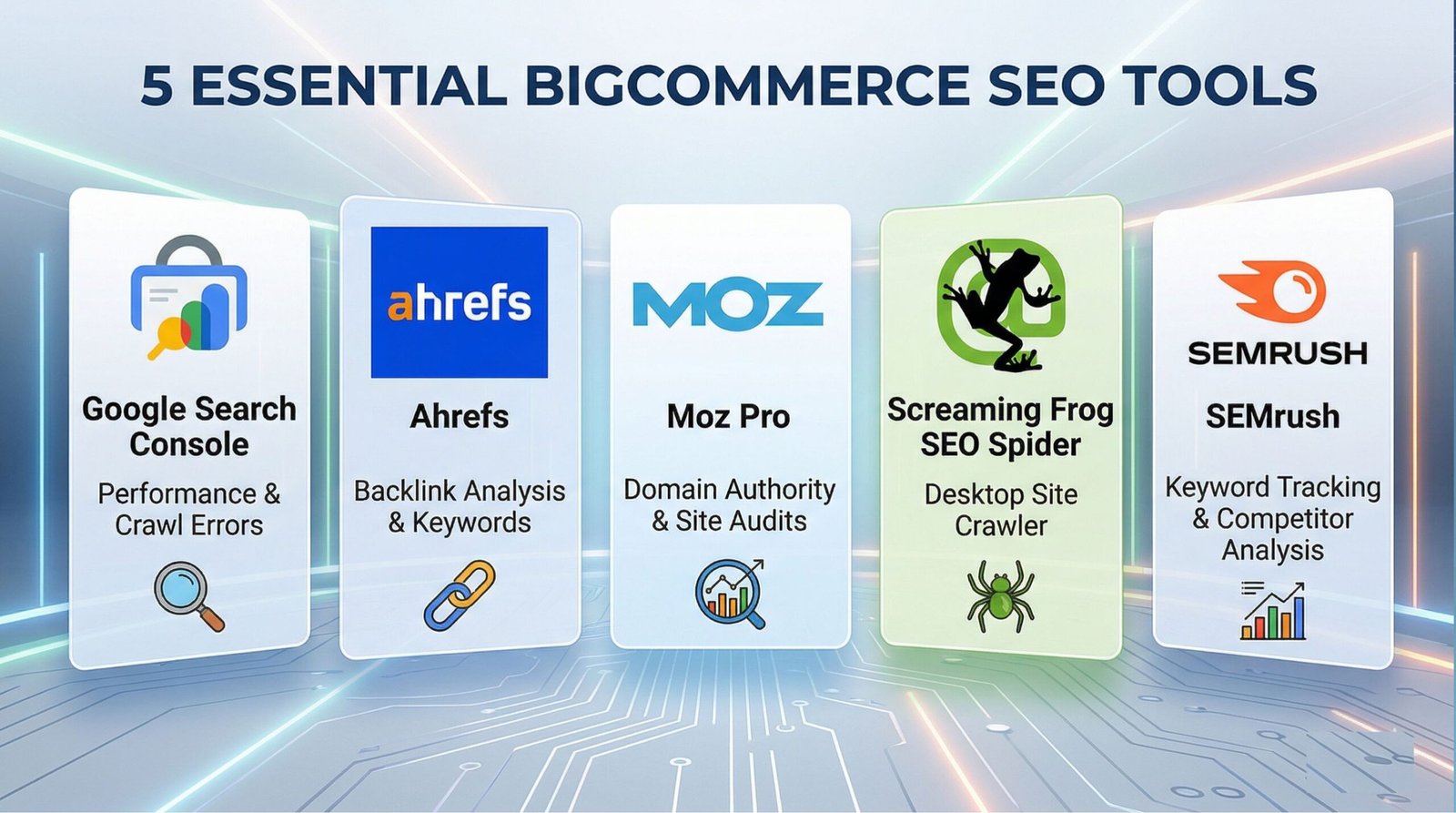
You cannot optimize a website blindly. You need data to make informed decisions. Several industry standard tools integrate perfectly with BigCommerce. These tools help you track rankings, find technical errors, and spy on competitors.
- Google Search Console: This is an absolute necessity. It is a free tool provided directly by Google. It tells you exactly which keywords your store ranks for, how many clicks you receive, and if Google encounters any errors while crawling your site. You must check this dashboard weekly. Review documentation at Google Search Central.
- Ahrefs: A premium, highly respected tool in the industry. It excels at analyzing backlinks. You can use it to see exactly where your competitors are getting their links. It also offers a fantastic keyword research tool to help you find low competition product ideas. Learn more at Ahrefs.
- Moz Pro: Another top tier tool that provides excellent site auditing features. It offers a proprietary metric called Domain Authority, which helps you understand the overall strength of your website compared to others. Moz also provides excellent educational resources for beginners. Check out Moz.
- Screaming Frog SEO Spider: This is a desktop application that crawls your website exactly like Google bots do. It instantly lists all your broken links, missing title tags, and oversized images. It is highly technical but invaluable for large e-commerce stores with thousands of products.
- SEMrush: Similar to Ahrefs, this tool provides a comprehensive suite of features. It is particularly strong for tracking daily keyword position changes and analyzing paid advertising strategies used by your competitors.
Staying updated with industry news is also crucial. Reading publications like Search Engine Journal will keep you informed about sudden algorithm changes that might affect your store traffic.
BigCommerce vs Shopify
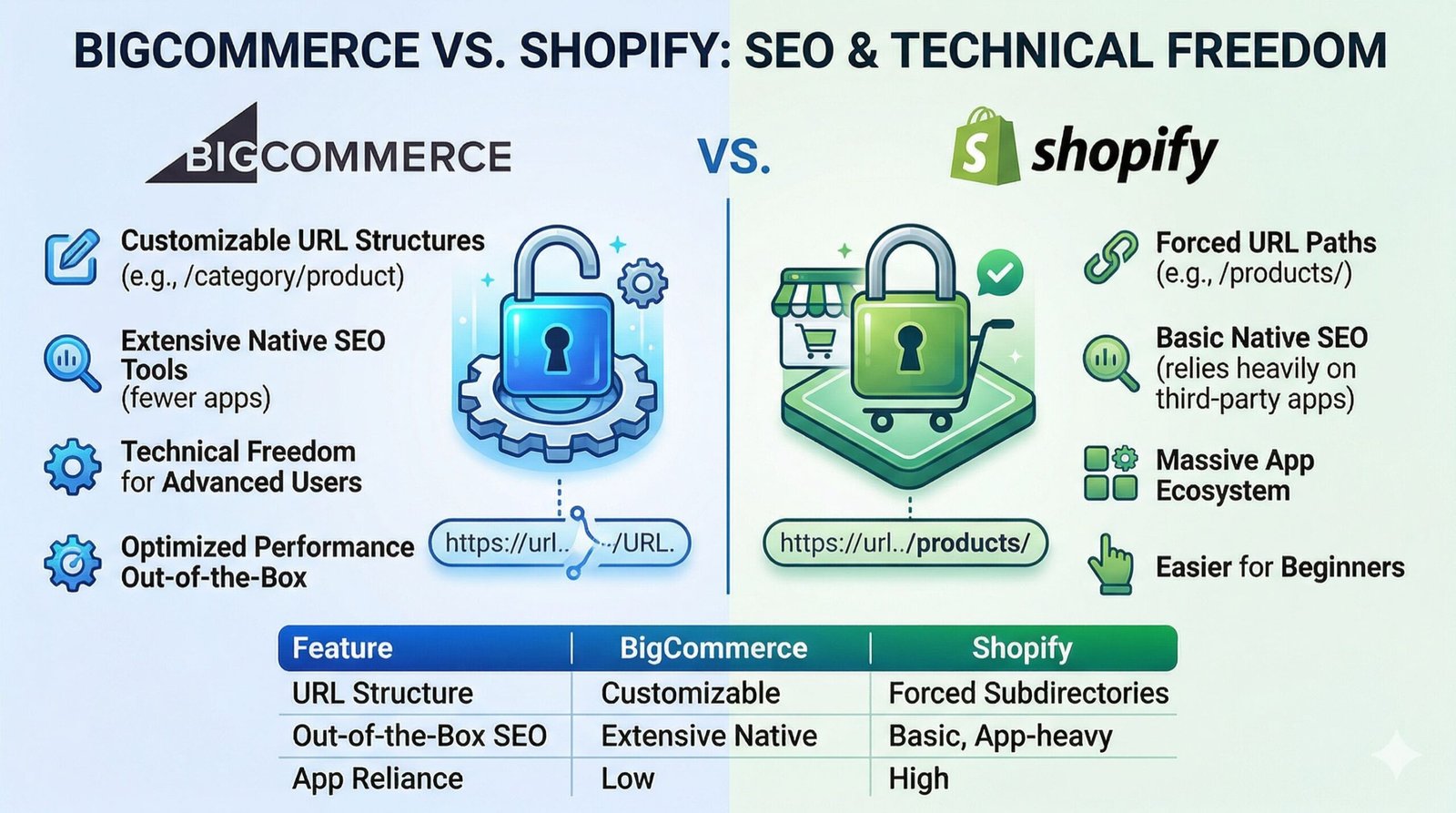
When choosing an e-commerce platform, the debate between BigCommerce and Shopify always arises. Both are hosted solutions, meaning they manage the servers for you. However, their approach to search optimization differs in subtle but important ways.
BigCommerce generally offers more robust native features right out of the box. You have finer control over URL structures. You can easily edit the root URL path for products without being forced into specific subdirectories. Shopify, on the other hand, forces a specific structure (e.g., /products/item-name), which some experts find slightly restrictive.
Shopify relies heavily on third party apps for advanced optimization tasks. While the app ecosystem is massive, relying on too many apps can slow down page speed. BigCommerce builds more of these features directly into the core platform, leading to potentially better out of the box performance without extra monthly fees. Both platforms are excellent, but BigCommerce often provides slightly more technical freedom for advanced users.
| Feature | BigCommerce | Shopify |
|---|---|---|
| URL Structure | Highly customizable | Forced subdirectories (e.g., /products/) |
| Out-of-the-Box SEO | Extensive native features | Basic, relies heavily on apps |
| App Reliance | Low | High |
WooCommerce vs BigCommerce
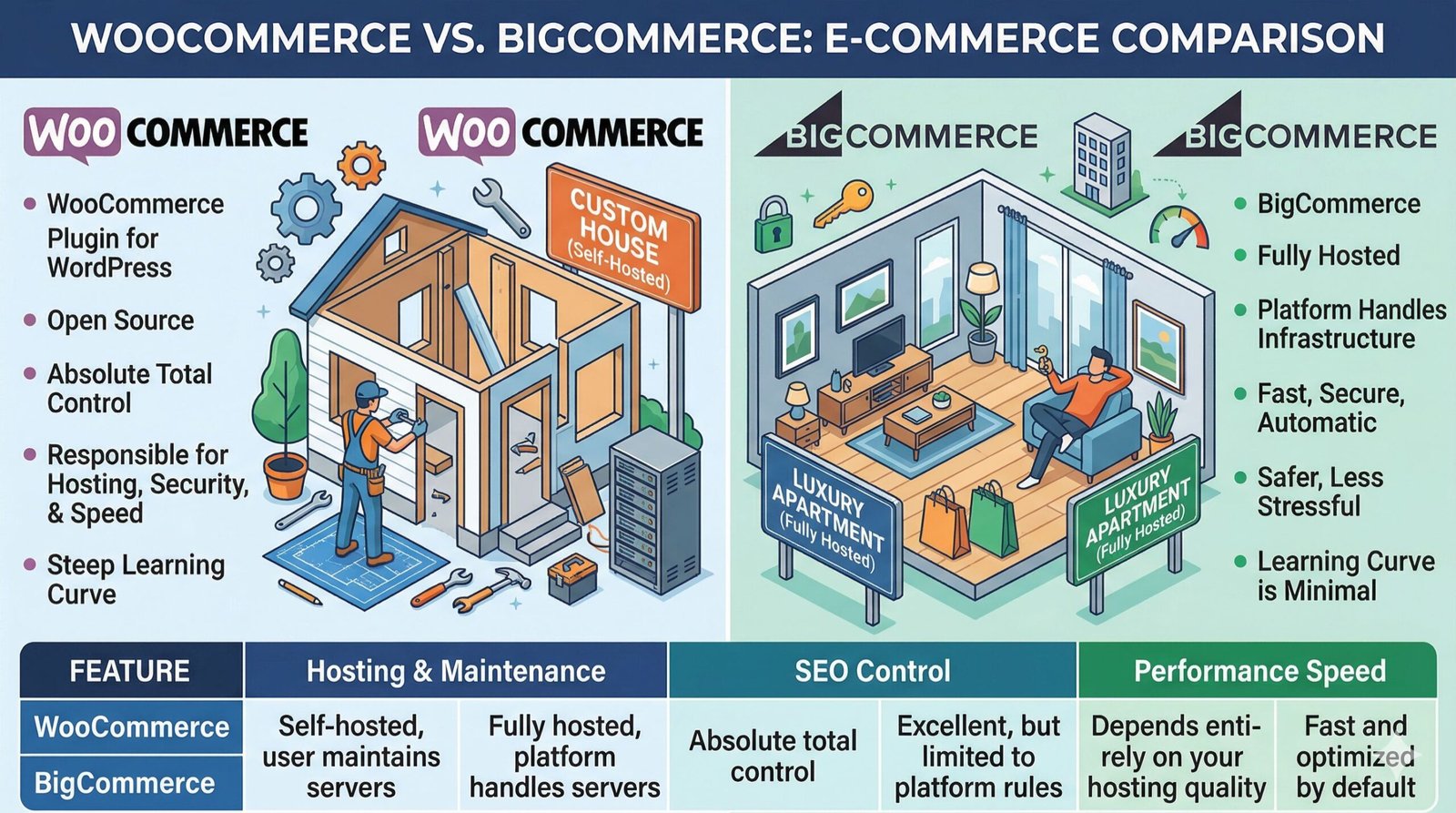
Comparing WooCommerce to BigCommerce is like comparing building a custom house to renting a fully furnished luxury apartment. WooCommerce is a plugin for WordPress. It is open source, meaning you have absolute, total control over every single line of code. You can optimize it endlessly.
However, with WooCommerce, you are responsible for hosting, security updates, and performance tuning. If your server is slow, your WooCommerce store will be slow, hurting your rankings. BigCommerce handles all the infrastructure. You get a fast, secure environment automatically. For business owners who want a powerful store without managing server configurations, BigCommerce is the much safer and less stressful choice. The learning curve for maintaining a fast WooCommerce site is very steep.
| Feature | WooCommerce | BigCommerce |
|---|---|---|
| Hosting & Maintenance | Self-hosted, user maintains servers | Fully hosted, platform handles servers |
| SEO Control | Absolute total control | Excellent, but limited to platform rules |
| Performance Speed | Depends entirely on your hosting quality | Fast and optimized by default |
BigCommerce vs Magento
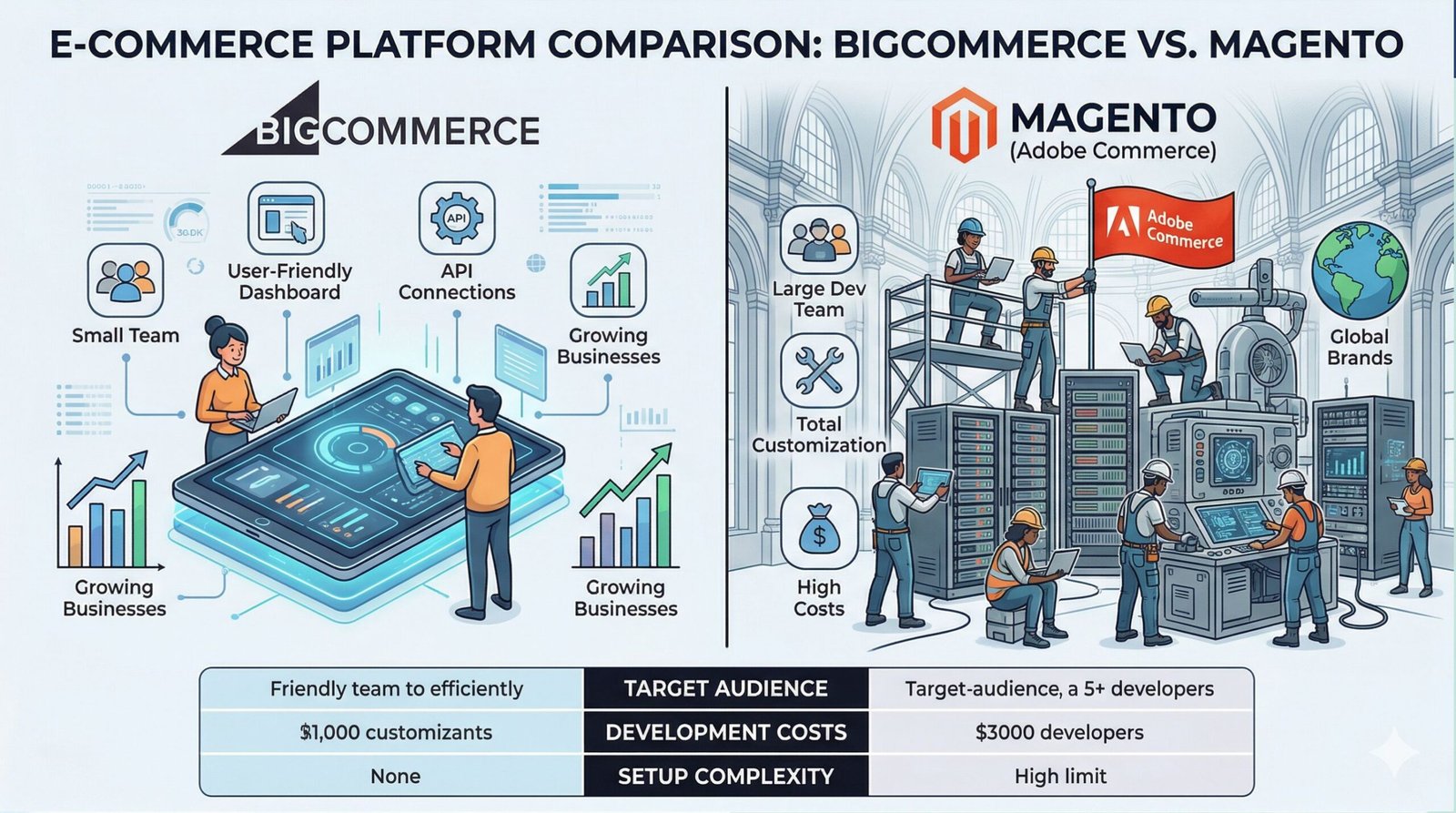
Magento (now Adobe Commerce) is an enterprise level platform. It is incredibly complex and requires a dedicated team of developers to run properly. The customization possibilities are infinite, but the costs are astronomical.
BigCommerce offers a middle ground. It provides many enterprise level features through its API, but retains a user friendly dashboard. A small team can manage a BigCommerce store effectively. Managing a Magento store requires massive technical resources. If you are a massive global brand with specific custom needs, Magento might be necessary. For most growing businesses, BigCommerce provides all the necessary power with significantly less headache. For more details on Magento specifically, check our guide on Magento SEO.
| Feature | BigCommerce | Magento (Adobe Commerce) |
|---|---|---|
| Target Audience | Small, Medium, and Enterprise | Large Enterprise only |
| Development Costs | Low to Medium | Extremely High |
| Setup Complexity | Moderate, user-friendly dashboard | Highly complex, requires dedicated team |
BigCommerce vs Other CMS
To help you understand the landscape, we have prepared a comprehensive comparison table of ten different Content Management Systems based on their general capabilities.
| CMS Platform | SEO Capability | Flexibility | Performance | Ease of Use |
|---|---|---|---|---|
| BigCommerce | Excellent | High | Very High | Medium |
| Shopify | Very Good | Medium | High | Very High |
| WooCommerce | Excellent | Very High | Variable (Depends on Host) | Medium |
| Magento (Guide) | Excellent | Unlimited | Variable (Needs tuning) | Very Low |
| Drupal (Guide) | Excellent | Very High | High | Low |
| Joomla (Guide) | Very Good | High | Medium | Medium |
| Webflow (Guide) | Excellent | Very High (Design) | Very High | Medium |
| Wix | Good | Low | Medium | Very High |
| Squarespace | Good | Low | High | High |
| Ghost | Excellent (For Blogs) | Medium | Very High | High |
BigCommerce SEO Services
Struggling to get your products onto the first page of Google? Stop guessing and start growing. Our team handles complete optimization strategies, from technical audits to complex content creation. Let us turn your store into a high traffic sales machine.
Get Your Custom Strategy Today